
Creating interactive prototypes
Playground lets you create interactive prototypes by describing what you want to build.
You don’t need to write code or set up anything. Just explain your idea, and Playground generates a runnable prototype you can interact with and refine.
Start with a prompt
To create a prototype, start by describing your idea in natural language.
For example:
“Create a Flappy Bird–style game”
“Build a landing page for a coffee shop”
“Make a simple to-do app with a clean interface”
“Create a calculator with sliders”
The more clearly you describe what you want, the better the initial result will be.
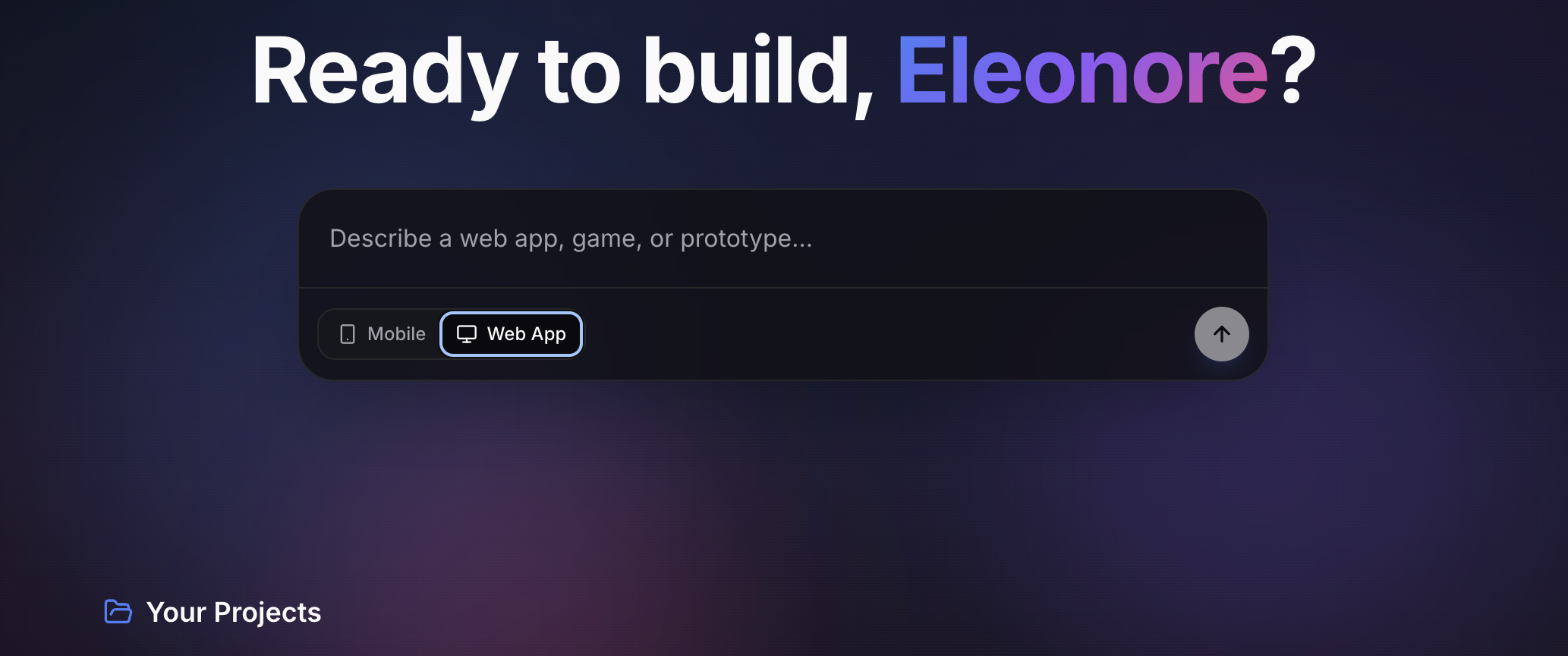
From idea to prototype
Once you send your prompt, Playground generates a working prototype.
This prototype:
Runs in the browser
Is fully interactive
Can be tested immediately
You’re not just seeing code — you’re seeing the result of your idea in action.
Iterate and refine
Playground is designed for iteration.
You can continue the conversation to:
Adjust layouts or styles
Add or remove features
Change behavior or interactions
Improve usability or visuals
For example:
“Make the buttons larger”
“Add a score counter”
“Change the color scheme to dark mode”
Each update builds on the existing prototype.
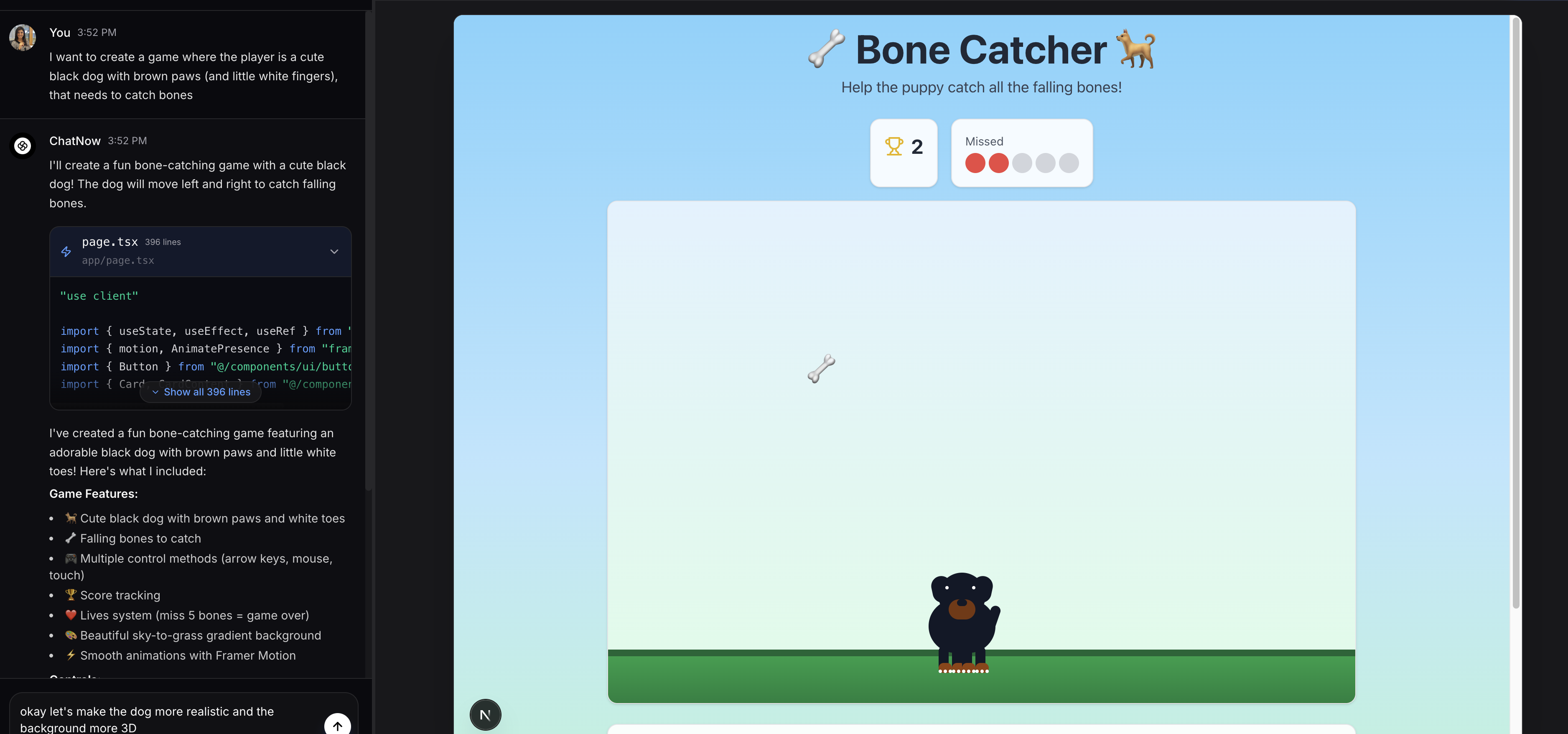
What works best in Playground
Playground works best for:
Small games
UI and layout mockups
Interactive tools
Simple visualizations
Concept demos
It’s ideal for experimenting and validating ideas quickly.
Known limitations
Playground prototypes are intended for experimentation, not production.
At the moment:
Prototypes are static and web-based
Backend logic and databases are not supported
User authentication inside prototypes is not available
These are expected limitations, not bugs.
When to use Playground
Use Playground when:
You want to turn an idea into something interactive
You want to iterate quickly without writing code
You want to test or demonstrate a concept
You may want to use something else when:
You want conversation or explanations → AI Assistant (Chat)
You want polished images or videos → Creative Studio
Common questions
Do I need coding experience?
No. Playground works entirely from natural language prompts.
Can I edit a prototype after it’s created?
Yes. You can refine and update the prototype by continuing the conversation.
Is each prompt a new prototype?
Playground builds iteratively. Changes are applied to the existing prototype unless you start a new one.
What next?
Once you’re happy with your prototype, learn how to share it in Sharing prototypes, or explore other tools like Chat and Creative Studio.