
What is ChatNow?
ChatNow is an all-in-one AI platform that lets you chat, create, and experiment with the latest AI models — all under a single subscription.
Whether you want quick answers, creative content, or advanced AI workflows, ChatNow gives you flexible tools to get the job done.
What you can do with ChatNow
ChatNow is built around multiple AI-powered tools, designed for different needs:
Ask questions and have conversations with AI
Generate text, images, and videos
Experiment with prompts and AI behaviour
Create and refine content for professional or creative use
All features are powered by a shared credit system, so you always know what you’re using.
The main parts of ChatNow
ChatNow is organised into three core areas:
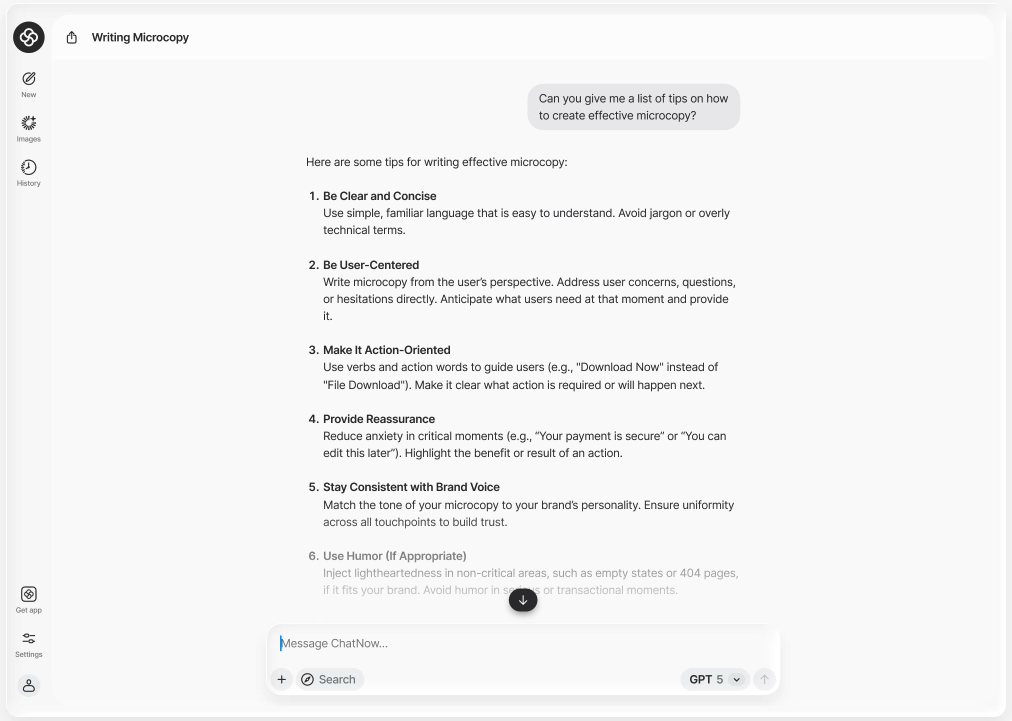
Chat
Chat is the fastest way to interact with AI.
Use Chat to:
Ask questions
Brainstorm ideas
Get explanations or suggestions
Have ongoing conversations
If you’re new to ChatNow, this is the best place to start.
Playground
Playground is designed for experimentation and control.
Use Playground to:
Test and compare prompts
Try different AI models or approaches
Explore how small changes affect results
Playground is ideal when you want more flexibility than a simple chat.

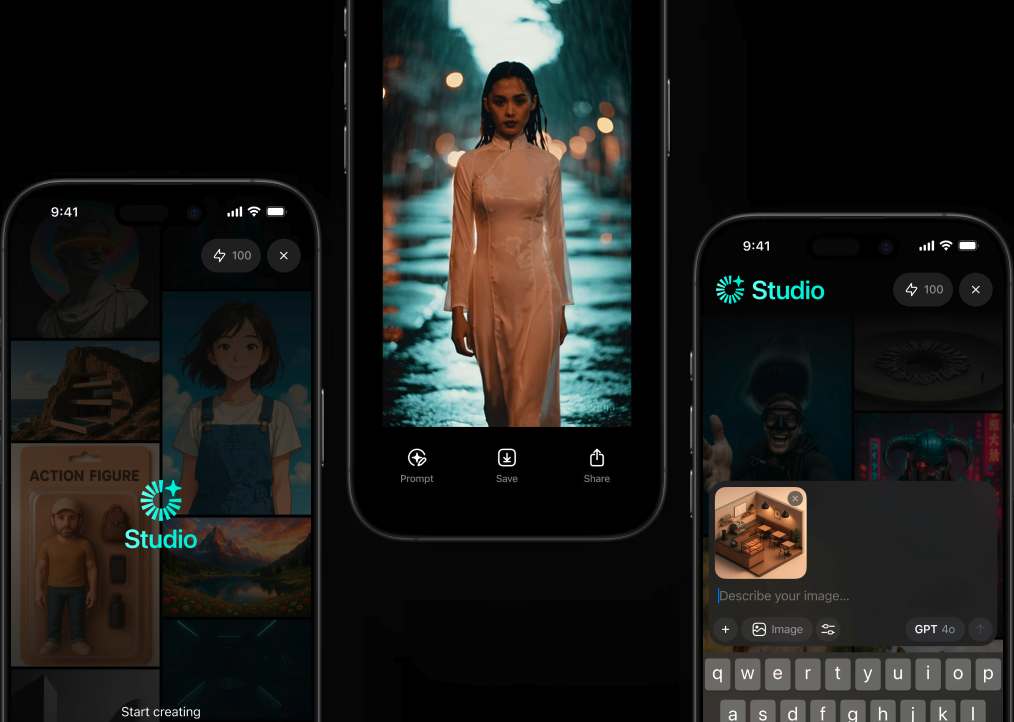
Creative Studio
Creative Studio helps you produce and refine content.
Use Creative Studio to:
Generate images or videos
Create structured or polished outputs
Iterate on creative results
It’s built for users who want to move from ideas to finished content.
One subscription, one platform
ChatNow brings multiple AI services together in one place.
Instead of switching between tools or subscriptions, you can:
Access different AI models
Use chat, creative, and experimental tools
Manage everything through a single credit balance
Your available features depend on your plan and how you subscribed.
Apple subscribers and web subscribers
ChatNow can be accessed in two ways:
Apple subscribers use ChatNow through the iOS app, with access linked to their Apple ID
Web subscribers access ChatNow through an email-based account, which can be connected to the iOS app
Both subscription types give you access to ChatNow’s core features, but billing and account management work differently.
You can find more details in our Setup guide.
Who ChatNow is for
ChatNow is designed for:
Individuals who want a powerful AI assistant
Creators and professionals working with text, images, videos or ideas
Users who want flexibility across different AI models
Teams and advanced users (with more features coming over time)
What ChatNow is not
To set clear expectations, ChatNow:
Is not limited to a single AI model
Is not just a chat app
Does not require multiple subscriptions for different tools